Common VPN Leak Scenarios: DNS, IPv6, WebRTC, and Split Tunneling
VPN users often judge privacy by one simple check: “Is my IP different?” That’s a useful signal, but it is not a complete privacy test. In real environments, privacy failures usually don’t happen because encryption “breaks.” They happen because some traffic escapes the tunnel through side channels.
These side channels are called leaks. A leak means the VPN tunnel remains active, but certain requests or network details bypass protection. Leaks are dangerous because they are often invisible to users. Everything continues to work, so people assume everything is private. But behind the scenes, metadata exposure may still occur.
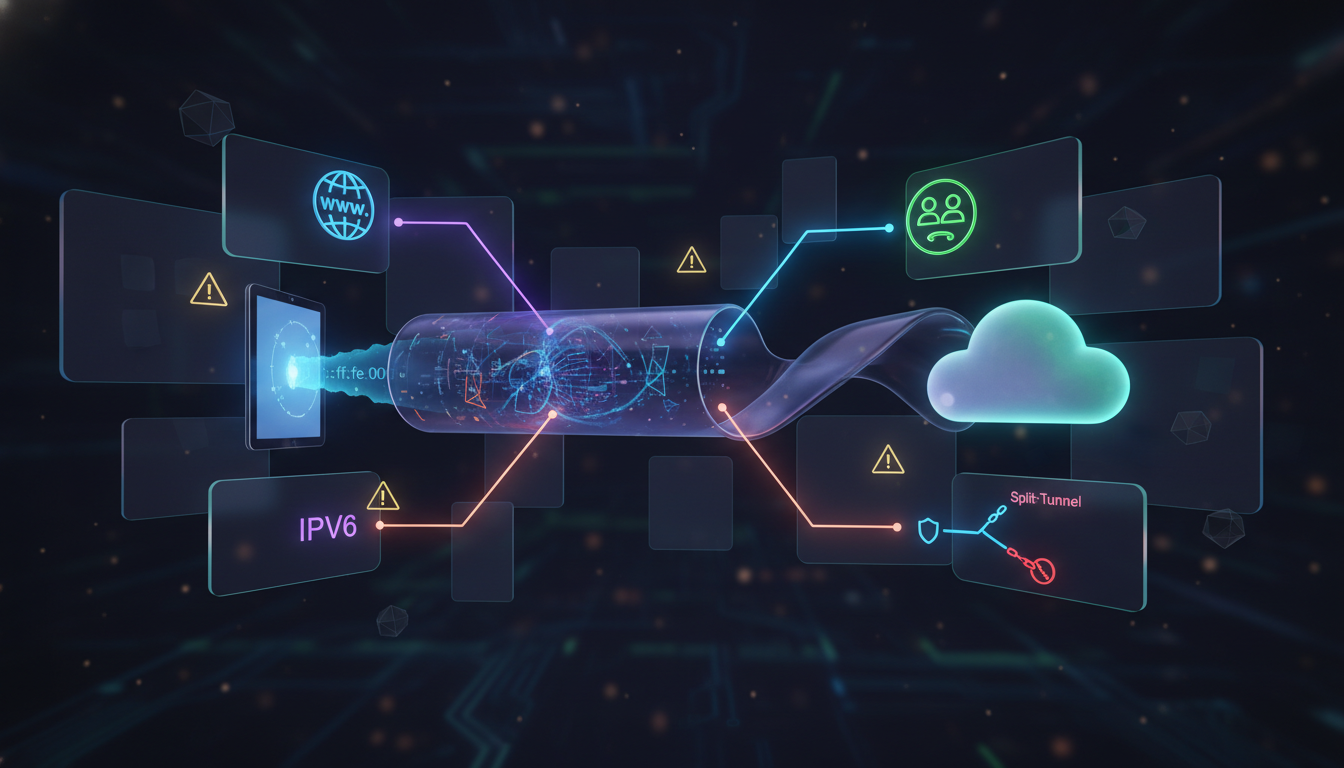
The goal of this article is to explain the most common leak scenarios in a practical way: DNS leaks, IPv6 leaks, WebRTC exposure, and split tunneling mistakes. Once you understand these, VPN privacy becomes far more predictable.
First, a reminder: a VPN is a network privacy tool. It encrypts traffic between your device and a VPN server and changes the visible IP address for websites. It is not a universal privacy switch and it does not control every system component perfectly in every environment. If you want the baseline VPN model, read: what a VPN protects and where its limits begin.
Now let’s break down the leak scenarios. The most common and most important is the DNS leak. DNS is how your device translates domains into IP addresses. If DNS requests go outside the VPN tunnel, your ISP or local network may still see which domains you request. Even if your browsing content is encrypted, DNS reveals intent.
DNS leaks happen for several reasons: system resolver fallback behavior, inconsistent VPN client settings, custom DNS forced by the network, or mixed configurations where the browser and system use different DNS paths. It’s a high-impact leak because DNS happens constantly and often reveals more than people expect.
This is why secure DNS is one of the most important parts of VPN privacy. If you want a deep explanation of DNS privacy, DoH/DoT, and resolver mistakes, read: secure DNS fundamentals for VPN users.
The second major leak type involves IPv6. IPv6 is the modern internet addressing system and many networks support it by default. Some VPN setups handle IPv4 traffic perfectly but treat IPv6 inconsistently. If IPv6 routes outside the tunnel, parts of your activity can bypass VPN protection even while the VPN appears connected.
IPv6 leaks can be confusing because they create split identity behavior. Your public IPv4 address may appear protected, but IPv6 requests may still reveal your real network. This inconsistency is valuable for correlation-based tracking systems. Even partial exposure can reduce the privacy benefit you expected from a VPN.
The third leak category is WebRTC exposure. WebRTC is a browser technology used for real-time communication such as video calls and voice chat. It is legitimate and widely used. But in some privacy configurations, WebRTC can reveal local network details or network interface candidates.
This does not automatically mean “your real IP is fully exposed.” Often the exposure is more subtle, such as local IP data, IPv6 hints, or network environment signals. But privacy does not fail only through one perfect identifier. Tracking works through multiple signals combined. Small exposures can matter.
WebRTC leaks are especially relevant for users who rely heavily on browser-based privacy tools while assuming a VPN solves everything. WebRTC reminds us that browsers can reveal network details in ways users don’t expect. In strict privacy setups, controlling browser networking features is part of staying consistent.
The fourth common leak scenario comes from split tunneling. Split tunneling allows some apps or destinations to bypass the VPN while others stay protected. This exists for practical reasons, like local network access or reducing VPN load. But it also creates risk because it breaks the assumption that “VPN on = everything protected.”
The danger with split tunneling is usually not intentional misuse. It’s accidental exposure. Users forget it’s enabled. Background apps update outside the tunnel. Browsers open links outside the protected route. Over time, these “small exceptions” can create consistent correlation signals that undermine privacy goals.
In restricted or monitored environments, leak risks increase because networks often focus on metadata and classification. A VPN tunnel may be encrypted, but leaks provide alternative signals: DNS intent, IPv6 routes, browser networking details, or unprotected app flows. This is why leak prevention is not paranoia—it’s responsible privacy engineering.
It’s also important to understand how leak behavior can impact access. Websites and platforms use risk systems based on IP reputation and traffic patterns. If your connection shows inconsistent routing—some traffic from one network, some from another—it can look suspicious. That may lead to more CAPTCHAs, login friction, or temporary blocks.
The key privacy concept behind leak prevention is consistency. Your traffic should follow one predictable path. Your DNS and IP behavior should align. Your browser should not quietly reveal additional network details. And your configuration should avoid exceptions unless you understand the cost.
Leaks are not a sign that VPN encryption is weak. They are a sign that privacy is a multi-layer system. A VPN protects one layer, but other layers still exist—and they can leak. Once you understand that, VPN privacy becomes a controllable strategy rather than a mystery.
If you want the simplest mindset: the best privacy setups are boring. They route traffic consistently, minimize exceptions, and avoid “stacking random tweaks.” The fewer moving parts you have, the fewer hidden leaks you create.
VPN leaks are not inevitable, but they are common. That is exactly why this topic matters. If you want privacy that holds up under real-world conditions, leak awareness is essential. Not because you need extreme security— but because you deserve predictable protection when you turn a privacy tool on.