<?xml version="1.0" encoding="utf-8"?>
<feed xmlns="http://www.w3.org/2005/Atom" xmlns:media="http://search.yahoo.com/mrss/">
    <title>letmevpn.com</title>
    <link href="https://letmevpn.com/feed.xml" rel="self" />
    <link href="https://letmevpn.com" />
    <updated>2026-05-30T19:30:29+06:00</updated>
    <author>
        <name>letmevpn</name>
    </author>
    <id>https://letmevpn.com</id>

    <entry>
        <title>How VPN Services Protect Your Privacy Online</title>
        <author>
            <name>letmevpn</name>
        </author>
        <link href="https://letmevpn.com/how-vpn-services-protect-your-privacy-online.html"/>
        <id>https://letmevpn.com/how-vpn-services-protect-your-privacy-online.html</id>
        <media:content url="https://letmevpn.com/media/posts/9/how-vpn-services-protect-your-privacy-online.jpg" medium="image" />

        <updated>2026-05-30T19:30:29+06:00</updated>
            <summary type="html">
                <![CDATA[
                        <img src="https://letmevpn.com/media/posts/9/how-vpn-services-protect-your-privacy-online.jpg" alt="Digital shield protecting user privacy with VPN encryption technology online" />
                    Every time you browse the internet, your online activities leave digital footprints that websites, advertisers, and even your internet service&hellip;
                ]]>
            </summary>
        <content type="html">
            <![CDATA[
                    <p><img src="https://letmevpn.com/media/posts/9/how-vpn-services-protect-your-privacy-online.jpg" class="type:primaryImage" alt="Digital shield protecting user privacy with VPN encryption technology online" /></p>
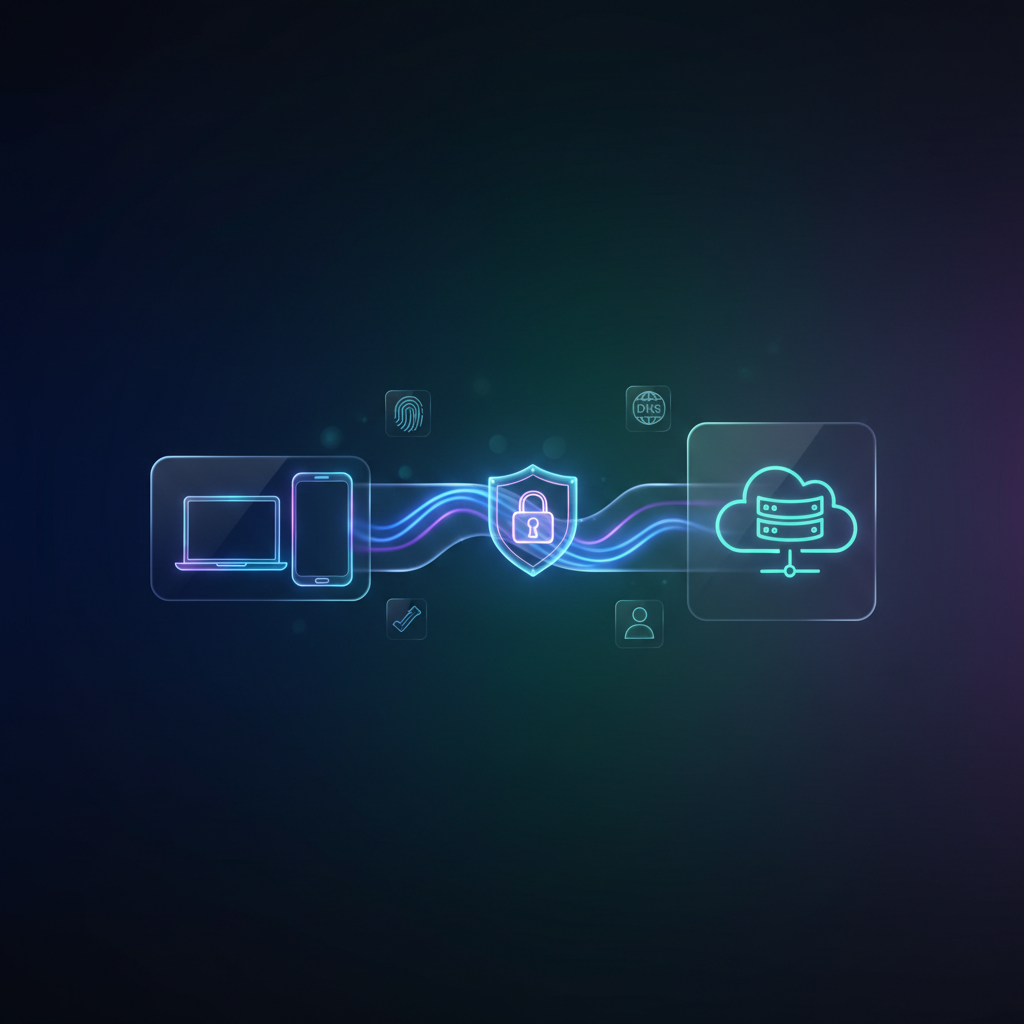
                <p>Every time you browse the internet, your online activities leave digital footprints that websites, advertisers, and even your internet service provider can track. VPN services have become essential tools for protecting your privacy in today's connected world. This guide explains how VPNs safeguard your personal information and what privacy benefits you can realistically expect when using one.</p><h2>Understanding VPN Encryption and Privacy Protection</h2><p>A VPN (Virtual Private Network) creates an encrypted tunnel between your device and the internet. When you connect to a VPN server, all your internet traffic passes through this secure tunnel, making it extremely difficult for outsiders to monitor your online activities. <strong>Encryption</strong> scrambles your data into unreadable code that only the VPN server can decode, protecting sensitive information like passwords, credit card numbers, and private messages from potential interceptors.</p><p>The encryption strength matters significantly. Most reputable VPN services use <strong>AES-256 encryption</strong>, the same military-grade standard used by governments and financial institutions worldwide. This level of protection ensures that even if someone captures your data, they cannot decipher it without the encryption key.</p><h2>Hiding Your IP Address and Location</h2><p>Your IP address functions like your home address on the internet, revealing your approximate physical location and identifying your internet service provider. VPNs mask your real IP address by routing your connection through their servers. When websites see your traffic, they only detect the VPN server's IP address, not your actual location.</p><p>This IP masking provides several privacy advantages:</p><ul><li>Prevents websites from building detailed profiles based on your geographic location</li><li>Stops advertisers from tracking you across different sites using your IP address</li><li>Reduces targeted advertising based on your browsing patterns</li><li>Protects your identity when accessing public Wi-Fi networks</li></ul><p>However, it's important to understand that while VPNs significantly improve privacy, they don't make you completely anonymous online. Websites can still use cookies, browser fingerprinting, and login credentials to identify you.</p><h2>Comparing Privacy Features Across VPN Types</h2><table><thead><tr><th>Privacy Feature</th><th>Premium VPN</th><th>Free VPN</th></tr></thead><tbody><tr><td>Encryption Standard</td><td>AES-256 military-grade</td><td>Often weaker or unclear</td></tr><tr><td>No-Logs Policy</td><td>Independently audited</td><td>May collect and sell data</td></tr><tr><td>DNS Leak Protection</td><td>Built-in and tested</td><td>Frequently absent</td></tr><tr><td>Kill Switch</td><td>Automatic disconnection</td><td>Rarely included</td></tr></tbody></table><p>The table above highlights why choosing a trustworthy VPN provider matters for genuine privacy protection. Free VPN services often compromise user privacy by logging browsing activity or injecting advertisements to generate revenue.</p><h2>Preventing ISP Tracking and Throttling</h2><p>Your internet service provider can see every website you visit and potentially slow down your connection based on your activities—a practice called throttling. VPNs prevent this ISP surveillance because your provider only sees encrypted data traveling to the VPN server, not the specific websites you're accessing.</p><p>This protection becomes especially valuable when streaming videos, downloading large files, or accessing bandwidth-intensive services. Since your ISP cannot identify your specific activities, they cannot selectively throttle your connection based on content type. Additionally, ISPs in some regions are legally permitted to sell anonymized browsing data to third parties, and VPNs help prevent this data collection at the source.</p><h2>Protecting Against Public Wi-Fi Risks</h2><p>Public Wi-Fi networks in coffee shops, airports, and hotels present significant privacy risks because these networks often lack proper security. Cybercriminals can potentially intercept unencrypted data transmitted over public networks through techniques like <strong>man-in-the-middle attacks</strong>.</p><p>Using a VPN on public Wi-Fi creates a secure connection that protects your data even on untrusted networks. The encryption ensures that even if someone intercepts your traffic, they only capture encrypted gibberish rather than readable information. This protection extends to all your online activities, from checking email to accessing banking services while traveling.</p><p>VPN services provide meaningful privacy protection by encrypting your internet traffic, hiding your IP address, and preventing various forms of tracking. While they significantly enhance your online privacy, remember that VPNs work best as part of a broader privacy strategy that includes strong passwords, regular software updates, and mindful browsing habits. Choose a reputable VPN provider with a verified no-logs policy to ensure your privacy remains protected.</p>
            ]]>
        </content>
    </entry>
    <entry>
        <title>How Modern Tracking Works Without Cookies: Fingerprinting and Metadata Correlation</title>
        <author>
            <name>letmevpn</name>
        </author>
        <link href="https://letmevpn.com/how-modern-tracking-works-without-cookies-fingerprinting-and-metadata-correlation.html"/>
        <id>https://letmevpn.com/how-modern-tracking-works-without-cookies-fingerprinting-and-metadata-correlation.html</id>
        <media:content url="https://letmevpn.com/media/posts/7/nano-banana-2026-01-19T12-48-16.png" medium="image" />

        <updated>2026-01-13T18:48:00+06:00</updated>
            <summary type="html">
                <![CDATA[
                        <img src="https://letmevpn.com/media/posts/7/nano-banana-2026-01-19T12-48-16.png" alt="" />
                    For years, online tracking was explained in one word: cookies. Clear your cookies, block third-party cookies, and you’re “private.” That&hellip;
                ]]>
            </summary>
        <content type="html">
            <![CDATA[
                    <p><img src="https://letmevpn.com/media/posts/7/nano-banana-2026-01-19T12-48-16.png" class="type:primaryImage" alt="" /></p>
                <p>For years, online tracking was explained in one word: cookies. Clear your cookies, block third-party cookies, and you’re “private.” That story was never fully true, but in 2026 it is outdated. Tracking still exists, and in many ways it has become more advanced. Not because the internet is “evil,” but because the business incentives behind profiling never disappeared.</p>
<p>Today, a large part of tracking works without cookies at all. Instead, modern systems rely on fingerprinting, server-side signals, metadata correlation, and behavioral patterns. This is why many users feel confused: they install a VPN, block cookies, and still get recognized.</p>
<p>This article explains how tracking without cookies works, why VPNs alone are not enough, and what practical privacy looks like when correlation is the real enemy.</p>
<p>The most important idea to understand is that tracking is rarely built on one perfect identifier. Tracking is built on <strong>probability</strong>. Systems collect signals, score them, and decide whether two sessions are likely the same user. If enough signals match, identity becomes predictable.</p>
<p>Cookies were useful because they offered a stable identifier that was easy to store and reuse. But cookies were never the only method. And once browsers and regulations started limiting third-party cookies, the tracking industry shifted to other signals that were harder to block.</p>
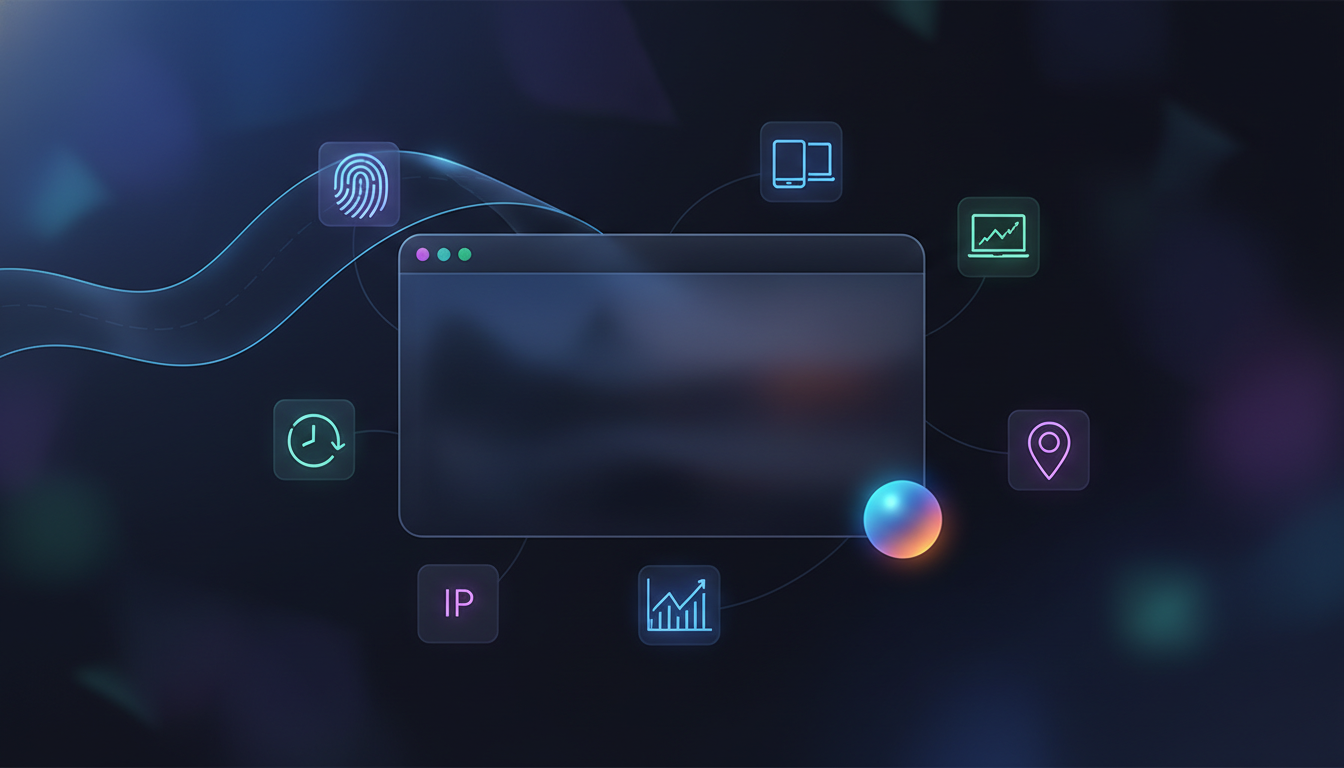
<p>One of the most powerful methods is browser fingerprinting. Fingerprinting identifies your browser environment based on characteristics rather than stored files. It can include screen resolution, device language, time zone, available fonts, rendering behavior, audio processing quirks, and API support. Individually, these signals seem harmless. Together, they can be surprisingly unique.</p>
<p>Fingerprinting has one big advantage for trackers: you can block cookies, but you can’t easily block being a device with a certain configuration. Fingerprinting often works even when storage is cleared. It can also work across private browsing sessions if the environment stays consistent.</p>
<p>This directly connects to a common misconception about private browsing. Incognito mode reduces local storage persistence, but it does not automatically remove fingerprinting signals. That is why private browsing is not a reliable privacy strategy by itself.</p>
<p>Another important concept is metadata correlation. Metadata is “data about data.” It includes timing, request patterns, IP behavior, connection consistency, and session flow. Even if content is encrypted, metadata still exists because the internet requires routing and communication patterns to function.</p>
<p>Correlation systems look for stable patterns: how you navigate between pages, how often you return, how quickly you click, how your device behaves, how your sessions align over time. This is why tracking can feel “too accurate” even when obvious identifiers are removed. It is not always one fingerprint—it is a pattern match.</p>
<p>Many users assume a VPN stops tracking. A VPN helps, but it only changes one important signal: your network path and visible IP address. It does not prevent a website from observing your browser behavior. It does not stop fingerprinting scripts. It does not remove account-level identity. If you log in, you identify yourself. If you keep the same fingerprint, you remain linkable.</p>
<p>To understand where VPN protection begins and ends, it helps to revisit the foundational VPN model: <a href="https://letmevpn.com/vpn-basics-in-2026-what-a-vpn-protects-and-what-it-doesnt.html">what a VPN actually protects in 2026</a>. Once you understand that, modern tracking becomes easier to reason about. A VPN is a layer—not a full privacy solution.</p>
<p>Tracking without cookies also includes server-side techniques. Websites can generate identifiers internally based on session behavior, login tokens, and server analytics. Even if you block third-party trackers, first-party tracking still exists. A website can observe its own visitors, and it does not need third-party cookies to do that.</p>
<p>Another layer is identity through accounts. When you sign into a service, the service knows it’s you. No cookie trick changes that. In fact, many platforms link identity across devices and sessions through login state and account-based security systems. A VPN does not “break” account identity. It only changes how your traffic travels to the service.</p>
<p>IP reputation systems also play a role. If you use a VPN, your exit IP may be shared with thousands of other users. Websites can treat this traffic as higher risk, leading to CAPTCHAs or login verification. This isn’t tracking in the advertising sense, but it’s still identity-related behavior. If you want to understand why that happens, read: <a href="https://letmevpn.com/ip-reputation-and-vpn-traffic-why-captchas-and-blocks-happen.html">why VPN IP reputation impacts access and verification</a>.</p>
<p>So what does practical privacy look like if tracking is correlation-based? It starts with reducing stable signals. That does not mean “install everything.” Installing dozens of privacy extensions can make you more unique and easier to fingerprint. The goal is not maximum complexity. The goal is controlled consistency.</p>
<p>A strong practical approach is separating identities. Instead of using one browser profile for everything, use different profiles for different roles. Personal accounts in one. Anonymous research in another. Work in another. This separation reduces correlation because you stop mixing identity signals across contexts.</p>
<p>Another powerful tactic is minimizing third-party script exposure. Tracker blocking reduces the number of parties collecting behavioral data. It does not eliminate tracking entirely, but it reduces the surface area. Less data collection means fewer correlation opportunities. That is a meaningful privacy win.</p>
<p>DNS and network leaks are also important in correlation. If your VPN tunnel is active but DNS requests escape outside the tunnel, your ISP or local network can still observe which domains you request. That metadata can be used for profiling or correlation. This is why DNS hygiene matters. Even when you “feel protected,” leaks can quietly undo the benefit.</p>
<p>Modern tracking works best when users are predictable. That’s why privacy is not about invisibility. It’s about breaking predictability. Not by doing suspicious or extreme actions, but by reducing the stable identifiers that follow you across the web. If your identity becomes less consistent across sessions, tracking accuracy drops.</p>
<p>It’s also worth mentioning that privacy has different goals for different people. For some users, privacy means reducing ad profiling. For others, it’s about safer Wi-Fi usage and minimizing ISP visibility. For others, it’s about reducing metadata exposure in restrictive environments. The right privacy setup depends on your goal. The best strategy starts with defining what risk you are trying to reduce.</p>
<p>In 2026, cookies are only one part of tracking. Fingerprinting and correlation are the bigger story. A VPN helps by reducing IP-based signals and encrypting traffic to a trusted tunnel endpoint. But real privacy also requires browser discipline and identity separation. That is how you reduce exposure in a world where tracking survives even without cookies.</p>
<p>The honest conclusion is this: privacy is not one setting. Privacy is a set of layers that reduce correlation. Once you understand fingerprinting and metadata correlation, you stop chasing “perfect anonymity” and start building privacy that actually works in daily life.</p>
            ]]>
        </content>
    </entry>
    <entry>
        <title>Why VPNs Get Slow: Latency, Packet Loss, MTU, and Server Distance</title>
        <author>
            <name>letmevpn</name>
        </author>
        <link href="https://letmevpn.com/why-vpns-get-slow-latency-packet-loss-mtu-and-server-distance.html"/>
        <id>https://letmevpn.com/why-vpns-get-slow-latency-packet-loss-mtu-and-server-distance.html</id>
        <media:content url="https://letmevpn.com/media/posts/6/nano-banana-2026-01-19T12-45-36.png" medium="image" />

        <updated>2026-01-11T18:46:00+06:00</updated>
            <summary type="html">
                <![CDATA[
                        <img src="https://letmevpn.com/media/posts/6/nano-banana-2026-01-19T12-45-36.png" alt="" />
                    A VPN is supposed to make your internet safer, not frustrating. But many users experience the same problem: they turn&hellip;
                ]]>
            </summary>
        <content type="html">
            <![CDATA[
                    <p><img src="https://letmevpn.com/media/posts/6/nano-banana-2026-01-19T12-45-36.png" class="type:primaryImage" alt="" /></p>
                <p>A VPN is supposed to make your internet safer, not frustrating. But many users experience the same problem: they turn on a VPN and everything feels slower. Pages take longer to open, streaming buffers, gaming ping increases, and downloads lose speed.</p>
<p>This is not always because the VPN provider is “bad.” In most cases, VPN slowdowns are caused by normal network physics: latency, packet loss, routing efficiency, and encryption overhead. The VPN simply makes these weaknesses more visible.</p>
<p>This guide explains why VPNs get slow in real life, what the common bottlenecks are, and why speed tests do not always tell the full story. If you understand these mechanics, you can pick better server locations, choose smarter settings, and avoid unrealistic expectations.</p>
<p>First, remember what a VPN does. Your traffic no longer goes directly from your device to the website. Instead, it goes from your device to a VPN server, and only then to the destination. That extra hop is a core part of VPN privacy, but it also introduces new performance variables. If you want the foundational overview of what a VPN protects, read: <a href="https://letmevpn.com/vpn-basics-in-2026-what-a-vpn-protects-and-what-it-doesnt.html">VPN basics and realistic privacy limits</a>.</p>
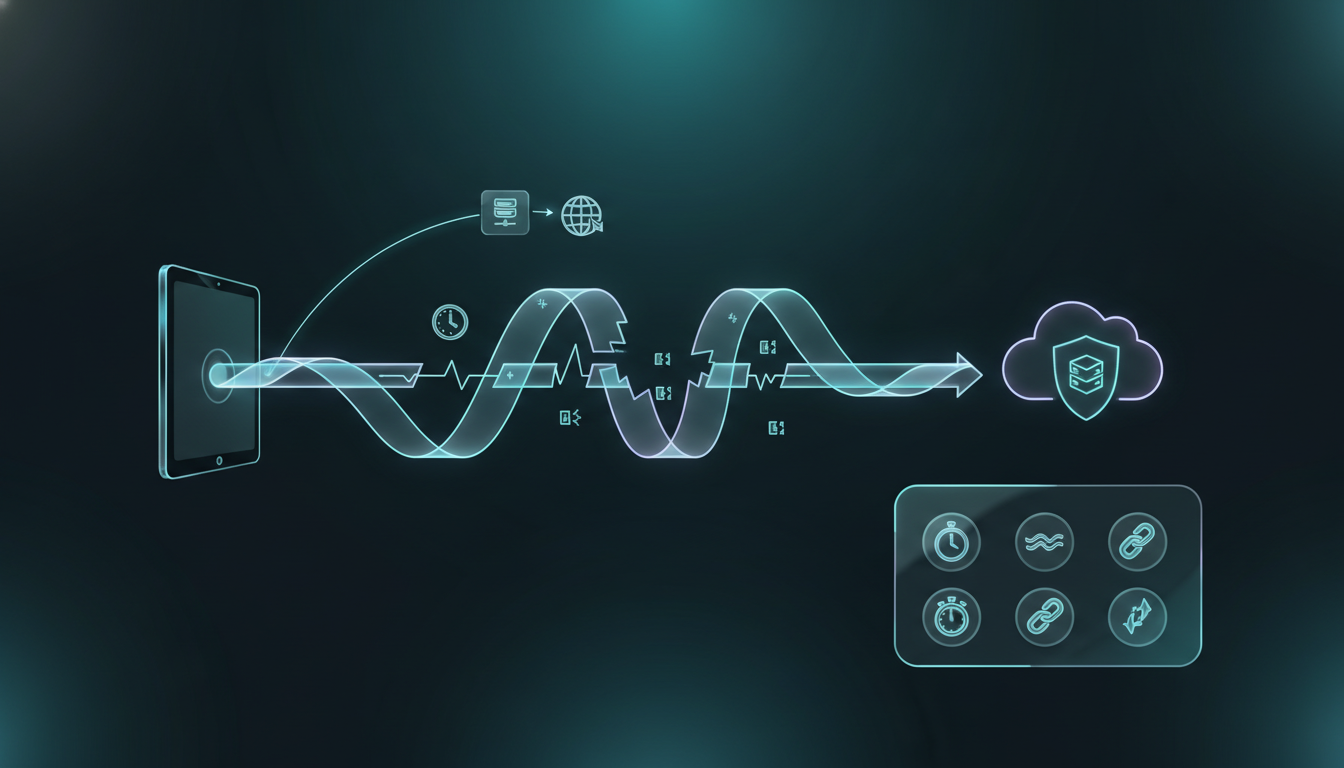
<p>The biggest speed factor is latency. Latency is the time it takes for data to travel from your device to a remote destination and back. A VPN adds distance because your traffic must reach a VPN server before it reaches the site you want. If the VPN server is far away, latency rises. If latency rises, everything feels slower—even if your raw bandwidth is still high.</p>
<p>High latency affects more than gaming. It affects how quickly websites begin loading. It affects how responsive apps feel. It affects video call stability. In many cases, users think “my VPN is slow,” but what they are feeling is increased round-trip time, not low throughput.</p>
<p>The second major factor is packet loss. Packet loss happens when some packets never reach the destination. It is common on congested networks, unstable Wi-Fi, or mobile data connections. Even small packet loss can cause noticeable performance drops because modern protocols rely on retransmissions.</p>
<p>When you use a VPN, packet loss can feel worse. Encrypted tunnels often carry traffic in a continuous stream, and if packets drop inside that tunnel, the system has to recover and resend data. That recovery creates stalls. Streaming buffers. Pages hang halfway. Apps “freeze” for a second. The VPN is not failing cryptographically—the network path is failing statistically.</p>
<p>One of the most confusing VPN issues for users is when some websites load but others don’t. This often leads people to assume censorship or blocking. Sometimes that’s true. But another common cause is MTU mismatch.</p>
<p>MTU stands for Maximum Transmission Unit. It is the maximum packet size that can travel across a network path without fragmentation. VPN encryption adds overhead to every packet. If the effective MTU becomes too large for part of the route, packets may fragment or fail. This can cause slow loading, broken images, and timeouts—especially on certain services.</p>
<p>MTU problems are often invisible because the VPN still connects and most things still work. But a few sites behave like they’re broken. Users blame the VPN server. In reality, packet sizing on the route is the issue. This is one reason VPN performance issues often feel random. They’re not random—they’re path-dependent.</p>
<p>Routing quality is another major factor. Your traffic takes a path across multiple networks between you and the VPN server. That path is affected by peering relationships, congestion, and regional infrastructure. Two servers in the same country can perform very differently because the route to each server can be very different.</p>
<p>This is why “closest location” is not always the fastest. Distance matters, but route efficiency matters more than most people realize. Sometimes a slightly farther server performs better because it has cleaner routing and lower congestion.</p>
<p>Server load is the factor everyone expects, and yes, it matters. If a VPN server is overloaded, performance drops. But overloaded servers are not the only cause of slowdowns. Users often assume “busy server,” but the real bottleneck is latency or packet loss long before the VPN server becomes the limiting factor.</p>
<p>Protocol choice also affects speed. Some protocols are more efficient and handle poor network conditions better than others. If you want a full technical breakdown of WireGuard vs OpenVPN vs IKEv2 and why protocol choice changes performance, read this guide: <a href="https://letmevpn.com/vpn-protocols-explained-wireguard-vs-openvpn-vs-ikev2-for-real-world-use.html">VPN protocol differences in real-world usage</a>.</p>
<p>Another hidden speed killer is mobile network switching. When you move between Wi-Fi and cellular data, your device changes network interfaces. VPN tunnels must either reconnect quickly or maintain stable sessions across changes. If the tunnel reconnects frequently, it creates performance interruptions that feel like “slow internet.” In reality, your device is constantly rebuilding the secure tunnel.</p>
<p>In some environments, VPN traffic may also be deprioritized. Not always blocked—just treated differently. Networks can throttle or add delays to encrypted tunnels. This can happen in public networks, corporate environments, or networks under heavy restrictions. From the user’s perspective, it feels like poor VPN quality. From the network perspective, it’s policy-driven traffic management.</p>
<p>This explains a frustrating truth: a VPN can perform perfectly at home but poorly at a hotel or café. The provider didn’t change—the environment did. Performance is always the result of the full chain: your device, your local network, your ISP route, the VPN infrastructure, and the destination service.</p>
<p>It’s also why speed tests can be misleading. A VPN might show high download speed in a test, but still feel slow in daily browsing. That happens when latency is high, packet loss is unstable, or MTU issues affect certain traffic types. Real performance is not one number—it’s a user experience outcome.</p>
<p>For privacy-focused users, reliability matters more than peak speed. A stable VPN you can keep enabled all day is more valuable than the fastest possible configuration that disconnects often. If your VPN experience is unstable, you will eventually disable it—and then you lose the privacy benefits entirely.</p>
<p>The smartest way to think about VPN speed is not “how do I make it perfect.” It is “how do I make it predictable.” Predictable privacy tools get used. Unpredictable tools get abandoned. Consistency is the real performance feature.</p>
<p>VPN slowdowns are normal, but they are not mysterious. Most of them come down to latency, packet loss, MTU, routing, and server load. Once you understand those factors, you can make better choices and stop expecting a VPN to behave like a direct connection. It’s not supposed to. It’s a secure tunnel—with real-world trade-offs.</p>
            ]]>
        </content>
    </entry>
    <entry>
        <title>IP Reputation and VPN Traffic: Why CAPTCHAs and Blocks Happen</title>
        <author>
            <name>letmevpn</name>
        </author>
        <link href="https://letmevpn.com/ip-reputation-and-vpn-traffic-why-captchas-and-blocks-happen.html"/>
        <id>https://letmevpn.com/ip-reputation-and-vpn-traffic-why-captchas-and-blocks-happen.html</id>
        <media:content url="https://letmevpn.com/media/posts/5/nano-banana-2026-01-19T12-42-25.png" medium="image" />

        <updated>2026-01-09T18:43:00+06:00</updated>
            <summary type="html">
                <![CDATA[
                        <img src="https://letmevpn.com/media/posts/5/nano-banana-2026-01-19T12-42-25.png" alt="" />
                    One of the most common VPN complaints is not about speed or security. It’s about friction. You connect to a&hellip;
                ]]>
            </summary>
        <content type="html">
            <![CDATA[
                    <p><img src="https://letmevpn.com/media/posts/5/nano-banana-2026-01-19T12-42-25.png" class="type:primaryImage" alt="" /></p>
                <p>One of the most common VPN complaints is not about speed or security. It’s about friction. You connect to a VPN, open a website, and suddenly you’re hit with a CAPTCHA. Or a login verification prompt. Or a message that your access looks “unusual.” Sometimes the site refuses to load at all.</p>
<p>This experience is frustrating, especially when you are using a VPN for legitimate privacy reasons. But in most cases, it has nothing to do with your device being “flagged.” It happens because the internet runs on trust scoring, and your VPN exit IP has a reputation.</p>
<p>This reputation system is not new, but it has become more aggressive in recent years. Websites face constant automated abuse: credential stuffing, fake signups, scraping, spam, fraud, and bot-driven traffic. To defend themselves, many platforms assign risk scores to visitors before a page even renders.</p>
<p>That is where IP reputation comes in. An IP address is not just a number. It is a history and a pattern profile. If an IP has a record of suspicious behavior, or if it statistically behaves like high-risk traffic, websites treat it as untrusted. And because VPNs often use shared IP addresses, users can inherit that reputation instantly.</p>
<p>To understand the problem, you have to understand how VPN traffic looks from the outside. A VPN makes many different users appear to come from the same IP address. That is great for privacy because it reduces simple IP-based tracking. But it also creates risk scoring issues because many users share the same endpoint. If enough of those users trigger security systems, the endpoint becomes “hot.”</p>
<p>A single VPN server can route traffic for thousands of users. Even if 99% of those users are normal, a small percentage of abusive traffic can poison the IP reputation. And once the reputation drops, everyone using that endpoint experiences higher friction.</p>
<p>Datacenter hosting is another factor. Most VPN providers run servers in datacenters, using IP ranges owned by cloud or hosting companies. Datacenter IPs are common for automation and high-volume workloads. Because of that, some websites treat datacenter traffic as higher risk by default. Not because it is evil, but because it is statistically more likely to contain automated behavior.</p>
<p>This is why VPN users often see more CAPTCHAs than residential users. A home ISP IP usually maps to one household and a stable user pattern. A datacenter VPN IP often maps to a shared, high-variance user population. Trust systems prefer stable identities. Privacy tools create shared identities. That is the trade-off.</p>
<p>Many websites go beyond single IP scoring and score entire network groups. This is done through ASNs (Autonomous System Numbers). An ASN is a network identity for a provider or infrastructure group. If an ASN is known for proxies, VPN servers, or cloud automation, traffic from that ASN may be treated more cautiously. So even “new clean IPs” can get friction if they belong to a high-risk network group.</p>
<p>IP reputation is also influenced by behavior signals. If a website sees high request rates, rapid page switching, repeated failed logins, or patterns that resemble scraping, it can flag the IP as suspicious. This is one reason some VPN endpoints degrade quickly: the same IP is hit from many devices, many sessions, and many locations. Even normal behavior looks unusual at scale.</p>
<p>Geographic consistency is another piece. If traffic from one account appears from different countries within short time windows, fraud systems become alert. This is common with VPN usage, especially if users switch servers frequently. Some services respond with forced re-authentication, account locks, or step-up verification. That’s not censorship—it’s risk control.</p>
<p>It’s important to understand that “block” is not always a hard block. Many platforms prefer soft friction: CAPTCHAs, rate limits, temporary timeouts, or degraded performance. From the user perspective it feels broken. From the platform perspective it’s “safe mode.” They are trying to filter out bots without blocking legitimate users completely.</p>
<p>IP reputation issues also connect to VPN leak behavior. If your traffic exits through a VPN IP but your DNS requests leak locally, or your browser exposes additional network details, it can look inconsistent. Inconsistency is suspicious. And suspicion increases friction. That is why leak prevention matters even when “the VPN works.” If you want a full overview of leaks and how they happen, read: <a href="https://letmevpn.com/common-vpn-leak-scenarios-dns-ipv6-webrtc-and-split-tunneling.html">common VPN leak scenarios and why they matter</a>.</p>
<p>This also connects to the foundational VPN model. If you expect a VPN to make your browsing invisible, reputation friction feels confusing. But once you accept that VPNs change routing signals rather than erasing identity, CAPTCHAs become easier to explain. If you need a quick refresher on what VPNs actually protect, start here: <a href="https://letmevpn.com/vpn-basics-in-2026-what-a-vpn-protects-and-what-it-doesnt.html">VPN privacy basics and realistic limits</a>.</p>
<p>So what should users do about IP reputation problems? The realistic answer is: accept that some friction is normal, and focus on stability. If you change servers constantly, your identity becomes inconsistent. If you choose random endpoints, you may hit “hot” IPs more often. Consistency reduces the number of risk triggers.</p>
<p>Provider infrastructure also matters. A provider with diverse, well-maintained server pools can reduce how often endpoints become overloaded or flagged. A smaller provider with limited IP resources may struggle to keep reputation clean at scale. This doesn’t make small providers bad, but it changes what users should expect.</p>
<p>Another important mindset shift is understanding that privacy tools are not only technical—they are social signals. When you use a VPN, you are opting into shared infrastructure. Shared infrastructure creates shared risk. That’s why privacy and friction often rise together: the more you blend into a crowd, the less “unique trust” you carry.</p>
<p>The bigger picture is that the internet increasingly runs on trust scoring. It is not just about malware prevention. It is about fraud control, bot management, and abuse mitigation. VPN traffic often sits closer to the “high scrutiny” zone in these systems. That is simply the modern reality.</p>
<p>For privacy-focused users, the goal is not to defeat these systems. It is to understand them and avoid unrealistic assumptions. If you know why CAPTCHAs happen, you stop seeing them as proof your VPN is broken. You see them as the cost of reducing correlation and controlling network identity exposure.</p>
<p>A VPN improves privacy by changing your network path. It cannot guarantee a friction-free internet experience, because trust systems care about signals beyond encryption. IP reputation is one of those signals. And once you understand it, VPN usage becomes far more predictable.</p>
            ]]>
        </content>
    </entry>
    <entry>
        <title>Common VPN Leak Scenarios: DNS, IPv6, WebRTC, and Split Tunneling</title>
        <author>
            <name>letmevpn</name>
        </author>
        <link href="https://letmevpn.com/common-vpn-leak-scenarios-dns-ipv6-webrtc-and-split-tunneling.html"/>
        <id>https://letmevpn.com/common-vpn-leak-scenarios-dns-ipv6-webrtc-and-split-tunneling.html</id>
        <media:content url="https://letmevpn.com/media/posts/4/nano-banana-2026-01-19T12-39-30.png" medium="image" />

        <updated>2026-01-07T18:39:00+06:00</updated>
            <summary type="html">
                <![CDATA[
                        <img src="https://letmevpn.com/media/posts/4/nano-banana-2026-01-19T12-39-30.png" alt="" />
                    VPN users often judge privacy by one simple check: “Is my IP different?” That’s a useful signal, but it is&hellip;
                ]]>
            </summary>
        <content type="html">
            <![CDATA[
                    <p><img src="https://letmevpn.com/media/posts/4/nano-banana-2026-01-19T12-39-30.png" class="type:primaryImage" alt="" /></p>
                <p>VPN users often judge privacy by one simple check: “Is my IP different?” That’s a useful signal, but it is not a complete privacy test. In real environments, privacy failures usually don’t happen because encryption “breaks.” They happen because some traffic escapes the tunnel through side channels.</p>
<p>These side channels are called leaks. A leak means the VPN tunnel remains active, but certain requests or network details bypass protection. Leaks are dangerous because they are often invisible to users. Everything continues to work, so people assume everything is private. But behind the scenes, metadata exposure may still occur.</p>
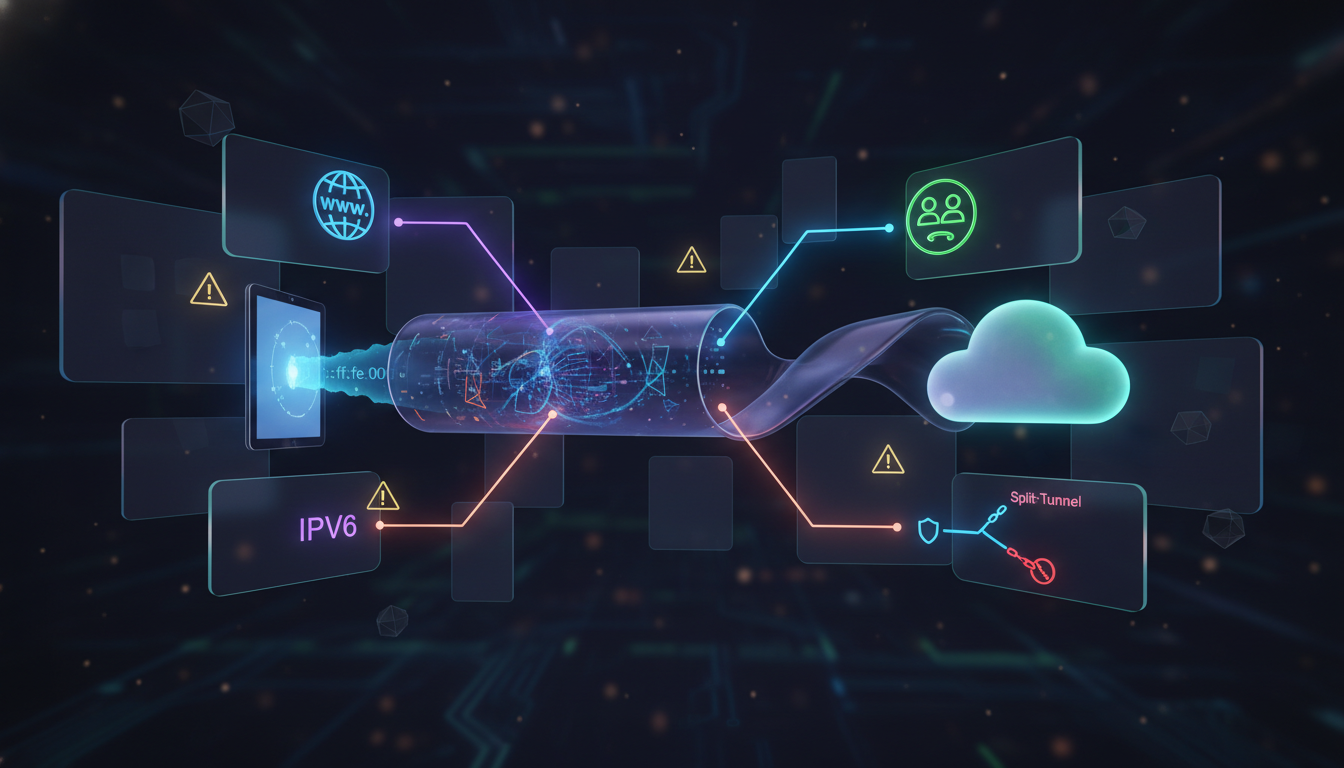
<p>The goal of this article is to explain the most common leak scenarios in a practical way: DNS leaks, IPv6 leaks, WebRTC exposure, and split tunneling mistakes. Once you understand these, VPN privacy becomes far more predictable.</p>
<p>First, a reminder: a VPN is a network privacy tool. It encrypts traffic between your device and a VPN server and changes the visible IP address for websites. It is not a universal privacy switch and it does not control every system component perfectly in every environment. If you want the baseline VPN model, read: <a href="#1">what a VPN protects and where its limits begin</a>.</p>
<p>Now let’s break down the leak scenarios. The most common and most important is the DNS leak. DNS is how your device translates domains into IP addresses. If DNS requests go outside the VPN tunnel, your ISP or local network may still see which domains you request. Even if your browsing content is encrypted, DNS reveals intent.</p>
<p>DNS leaks happen for several reasons: system resolver fallback behavior, inconsistent VPN client settings, custom DNS forced by the network, or mixed configurations where the browser and system use different DNS paths. It’s a high-impact leak because DNS happens constantly and often reveals more than people expect.</p>
<p>This is why secure DNS is one of the most important parts of VPN privacy. If you want a deep explanation of DNS privacy, DoH/DoT, and resolver mistakes, read: <a href="https://letmevpn.com/secure-dns-for-vpn-users-dohdot-dns-leaks-and-resolver-mistakes.html">secure DNS fundamentals for VPN users</a>.</p>
<p>The second major leak type involves IPv6. IPv6 is the modern internet addressing system and many networks support it by default. Some VPN setups handle IPv4 traffic perfectly but treat IPv6 inconsistently. If IPv6 routes outside the tunnel, parts of your activity can bypass VPN protection even while the VPN appears connected.</p>
<p>IPv6 leaks can be confusing because they create split identity behavior. Your public IPv4 address may appear protected, but IPv6 requests may still reveal your real network. This inconsistency is valuable for correlation-based tracking systems. Even partial exposure can reduce the privacy benefit you expected from a VPN.</p>
<p>The third leak category is WebRTC exposure. WebRTC is a browser technology used for real-time communication such as video calls and voice chat. It is legitimate and widely used. But in some privacy configurations, WebRTC can reveal local network details or network interface candidates.</p>
<p>This does not automatically mean “your real IP is fully exposed.” Often the exposure is more subtle, such as local IP data, IPv6 hints, or network environment signals. But privacy does not fail only through one perfect identifier. Tracking works through multiple signals combined. Small exposures can matter.</p>
<p>WebRTC leaks are especially relevant for users who rely heavily on browser-based privacy tools while assuming a VPN solves everything. WebRTC reminds us that browsers can reveal network details in ways users don’t expect. In strict privacy setups, controlling browser networking features is part of staying consistent.</p>
<p>The fourth common leak scenario comes from split tunneling. Split tunneling allows some apps or destinations to bypass the VPN while others stay protected. This exists for practical reasons, like local network access or reducing VPN load. But it also creates risk because it breaks the assumption that “VPN on = everything protected.”</p>
<p>The danger with split tunneling is usually not intentional misuse. It’s accidental exposure. Users forget it’s enabled. Background apps update outside the tunnel. Browsers open links outside the protected route. Over time, these “small exceptions” can create consistent correlation signals that undermine privacy goals.</p>
<p>In restricted or monitored environments, leak risks increase because networks often focus on metadata and classification. A VPN tunnel may be encrypted, but leaks provide alternative signals: DNS intent, IPv6 routes, browser networking details, or unprotected app flows. This is why leak prevention is not paranoia—it’s responsible privacy engineering.</p>
<p>It’s also important to understand how leak behavior can impact access. Websites and platforms use risk systems based on IP reputation and traffic patterns. If your connection shows inconsistent routing—some traffic from one network, some from another—it can look suspicious. That may lead to more CAPTCHAs, login friction, or temporary blocks.</p>
<p>The key privacy concept behind leak prevention is consistency. Your traffic should follow one predictable path. Your DNS and IP behavior should align. Your browser should not quietly reveal additional network details. And your configuration should avoid exceptions unless you understand the cost.</p>
<p>Leaks are not a sign that VPN encryption is weak. They are a sign that privacy is a multi-layer system. A VPN protects one layer, but other layers still exist—and they can leak. Once you understand that, VPN privacy becomes a controllable strategy rather than a mystery.</p>
<p>If you want the simplest mindset: the best privacy setups are boring. They route traffic consistently, minimize exceptions, and avoid “stacking random tweaks.” The fewer moving parts you have, the fewer hidden leaks you create.</p>
<p>VPN leaks are not inevitable, but they are common. That is exactly why this topic matters. If you want privacy that holds up under real-world conditions, leak awareness is essential. Not because you need extreme security— but because you deserve predictable protection when you turn a privacy tool on.</p>
            ]]>
        </content>
    </entry>
    <entry>
        <title>Secure DNS for VPN Users: DoH/DoT, DNS Leaks, and Resolver Mistakes</title>
        <author>
            <name>letmevpn</name>
        </author>
        <link href="https://letmevpn.com/secure-dns-for-vpn-users-dohdot-dns-leaks-and-resolver-mistakes.html"/>
        <id>https://letmevpn.com/secure-dns-for-vpn-users-dohdot-dns-leaks-and-resolver-mistakes.html</id>
        <media:content url="https://letmevpn.com/media/posts/3/nano-banana-2026-01-19T12-36-55.png" medium="image" />

        <updated>2026-01-05T18:37:00+06:00</updated>
            <summary type="html">
                <![CDATA[
                        <img src="https://letmevpn.com/media/posts/3/nano-banana-2026-01-19T12-36-55.png" alt="" />
                    When people think about VPN privacy, they usually focus on one signal: the IP address. If the IP looks different,&hellip;
                ]]>
            </summary>
        <content type="html">
            <![CDATA[
                    <p><img src="https://letmevpn.com/media/posts/3/nano-banana-2026-01-19T12-36-55.png" class="type:primaryImage" alt="" /></p>
                <p>When people think about VPN privacy, they usually focus on one signal: the IP address. If the IP looks different, everything must be private—right? Not exactly. In real-world privacy, some of the most damaging leaks happen in places users rarely notice. And one of the biggest ones is DNS.</p>
<p>DNS (Domain Name System) is the process your device uses to translate a domain name like “example.com” into an IP address that networks can route to. This happens constantly. Almost every connection starts with DNS. If your DNS requests are visible, observers may not see the content you load, but they can often see the destinations you intend to reach.</p>
<p>This matters because modern surveillance and tracking don’t always need content. Metadata is often enough. A list of domain lookups reveals habits, interests, daily patterns, and the services you use. Even when web pages are encrypted with HTTPS, DNS can expose your browsing intent.</p>
<p>A VPN helps by encrypting traffic between your device and a VPN server. But DNS is not automatically “safe” just because your VPN is on. If DNS requests escape outside the tunnel, your ISP or local network can still see the domains you query. This is called a DNS leak.</p>
<p>DNS leaks are particularly dangerous because they are silent. Everything still loads. Apps still work. Your VPN app still shows “connected.” But your privacy goal—reducing destination visibility—fails quietly in the background.</p>
<p>To understand why, you need to remember what a VPN actually is and where its limits begin. A VPN changes your network path and encrypts traffic to the VPN server. It does not automatically rewrite every system behavior perfectly in every environment. If you want a clear foundation, start here: <a href="https://letmevpn.com/vpn-basics-in-2026-what-a-vpn-protects-and-what-it-doesnt.html">what a VPN protects (and what it doesn’t)</a>.</p>
<p>Now, what does “secure DNS” mean? Secure DNS means protecting DNS requests from easy observation, manipulation, or forced redirection. In 2026, secure DNS is usually discussed in three layers: how DNS is routed, how it is encrypted, and who controls the resolver.</p>
<p>Routing is the most overlooked layer. Where do your DNS queries go? If they go through the VPN tunnel to a resolver controlled by the VPN provider, your ISP sees less. If they go outside the tunnel to your ISP resolver, your browsing intent may still be visible locally. Even if the page loads inside the VPN tunnel afterward, the intent was exposed at the DNS stage.</p>
<p>Encryption is the second layer. Traditional DNS is often unencrypted between your device and the resolver. This is why DNS can be intercepted or monitored on local networks. Modern encrypted DNS options aim to fix this by wrapping DNS requests in encryption. The two most common options are DoH and DoT.</p>
<p>DoH (DNS over HTTPS) sends DNS queries inside HTTPS traffic. From the network perspective, it looks like normal encrypted web traffic. DoT (DNS over TLS) encrypts DNS using TLS but typically uses a dedicated channel. Both protect DNS in transit, but neither eliminates DNS data entirely. They protect the path—not the existence of the query.</p>
<p>This leads to the third layer: trust. If your DNS is encrypted, the network between you and the resolver sees less. But the resolver still receives your queries. So DNS privacy is partly about choosing who you trust with that metadata. A VPN provider DNS resolver, a public resolver, or an enterprise resolver each comes with different trade-offs.</p>
<p>A common mistake VPN users make is mixing DNS tools without understanding the result. Some users enable encrypted DNS in the browser while also running a VPN. Others force a custom DNS resolver at the system level. This can create inconsistent routing and make debugging privacy issues almost impossible. In some cases, it creates leaks. In other cases, it breaks connectivity.</p>
<p>Another common mistake is assuming that “changing DNS” is a replacement for a VPN. It isn’t. DNS controls domain resolution. It does not encrypt all traffic. It does not hide your IP address from websites. And it does not prevent tracking scripts in your browser. Secure DNS is important, but it is only one layer.</p>
<p>In restricted environments, DNS can also be a control point. Some networks enforce DNS interception or redirection. This is why DNS behavior can change depending on where you are: a home ISP, a hotel network, or a corporate environment. You may think you are using one resolver, but the network may push your device elsewhere. This can create a false sense of privacy even when your settings look correct.</p>
<p>DNS issues also connect to broader VPN leak scenarios. DNS is one category, but not the only one. IPv6 routing, browser networking features, and split tunneling can all create “partial exposure” situations. If you want a full overview of leak types, read: <a href="https://letmevpn.com/common-vpn-leak-scenarios-dns-ipv6-webrtc-and-split-tunneling.html">common VPN leak scenarios (DNS, IPv6, WebRTC, split tunneling)</a>.</p>
<p>From a practical standpoint, VPN users should care about DNS because it can affect both privacy and reliability. Bad DNS routing can cause slow page loads, timeouts, and odd behavior where some sites load and others fail. Users often blame the VPN server speed, but DNS is sometimes the hidden culprit.</p>
<p>DNS behavior can also influence trust scoring. Some websites treat unusual network patterns as suspicious. If DNS lookups appear inconsistent or mismatched with your exit IP behavior, it can contribute to verification prompts and friction. This is part of the reason VPN users sometimes experience CAPTCHAs or access blocks.</p>
<p>In 2026, strong privacy is about consistency. Your traffic should behave predictably. DNS should follow the same trust model as the rest of your connection. If your privacy stack is a collection of random “privacy tweaks,” it becomes brittle. Brittle privacy breaks silently. Consistent privacy holds up.</p>
<p>Secure DNS is not glamorous. But it is one of the highest-impact upgrades in a real privacy setup. It reduces metadata exposure and closes one of the most common “invisible leaks” in VPN usage. If you’re serious about privacy, DNS is not optional—it’s foundational.</p>
            ]]>
        </content>
    </entry>
    <entry>
        <title>VPN Protocols Explained: WireGuard vs OpenVPN vs IKEv2 for Real-World Use</title>
        <author>
            <name>letmevpn</name>
        </author>
        <link href="https://letmevpn.com/vpn-protocols-explained-wireguard-vs-openvpn-vs-ikev2-for-real-world-use.html"/>
        <id>https://letmevpn.com/vpn-protocols-explained-wireguard-vs-openvpn-vs-ikev2-for-real-world-use.html</id>
        <media:content url="https://letmevpn.com/media/posts/2/nano-banana-2026-01-19T12-32-23.png" medium="image" />

        <updated>2026-01-03T18:33:00+06:00</updated>
            <summary type="html">
                <![CDATA[
                        <img src="https://letmevpn.com/media/posts/2/nano-banana-2026-01-19T12-32-23.png" alt="" />
                    Most people choose a VPN based on price, marketing promises, or the number of servers. But one of the most&hellip;
                ]]>
            </summary>
        <content type="html">
            <![CDATA[
                    <p><img src="https://letmevpn.com/media/posts/2/nano-banana-2026-01-19T12-32-23.png" class="type:primaryImage" alt="" /></p>
                <p>Most people choose a VPN based on price, marketing promises, or the number of servers. But one of the most important details is often hidden in the settings: the VPN protocol. Protocols determine how your device builds a secure tunnel, how stable the connection feels, and how much performance you lose under real network conditions.</p>
<p>If you’ve ever wondered why one VPN feels fast and smooth while another randomly drops, drains battery, or struggles on mobile networks, the protocol is often the reason. In 2026, the most common protocols you’ll see are WireGuard, OpenVPN, and IKEv2/IPsec. Each has strengths, weaknesses, and “best-fit” scenarios.</p>
<p>This guide explains what VPN protocols actually are, how these three compare, and which one makes sense depending on your device and network. It focuses on practical outcomes: speed, stability, and predictable privacy—not hype.</p>
<p>A VPN protocol is the set of rules that governs how encrypted traffic moves between your device and the VPN server. It defines how keys are negotiated, how encryption is applied, how packets are transported, and how the connection behaves when the network changes. Think of it as the engineering blueprint behind the VPN tunnel.</p>
<p>Before comparing protocols, it helps to remember what a VPN is meant to do in the first place. A VPN encrypts traffic between you and the VPN server, reduces visibility on local networks, and changes the IP address websites see. That’s network-layer protection. It does not automatically block ads, eliminate tracking scripts, or make you anonymous. If you want the complete baseline explanation, start here: <a href="https://letmevpn.com/vpn-basics-in-2026-what-a-vpn-protects-and-what-it-doesnt.html">what a VPN protects and what it can’t do</a>.</p>
<p>Now let’s compare the three major protocols. WireGuard is widely considered the modern standard for performance. It was designed to be simple, fast, and efficient. Its codebase is relatively small compared to older protocols, which makes it easier to audit and reduces complexity. In real use, WireGuard often delivers excellent speeds with low CPU overhead.</p>
<p>WireGuard also tends to connect quickly. For many users, it “feels” modern because the tunnel establishes fast and maintains stable throughput. On mobile devices, that efficiency can translate into better battery behavior compared to heavy encryption stacks.</p>
<p>That said, no protocol guarantees perfect privacy on its own. Privacy depends on implementation: how the provider handles authentication, how servers are managed, and how user sessions are treated. A fast protocol is not the same as a trustworthy provider. WireGuard is a strong technology, but it’s still only one layer in a real privacy setup.</p>
<p>OpenVPN is the long-time industry standard. It has been used for years across consumer VPNs, corporate environments, and security-focused applications. OpenVPN is known for being flexible and widely supported on almost every platform. It can run in multiple transport modes and is often chosen for compatibility.</p>
<p>The trade-off is overhead. OpenVPN can be slower than WireGuard, especially on devices with limited processing power. It may also require more tuning to achieve peak performance. In practical terms, OpenVPN is still reliable, but it often feels heavier. If you care about speed above all, OpenVPN may not be your first choice in 2026.</p>
<p>However, OpenVPN is not obsolete. Its maturity and long history make it a trusted option for many users. It has survived years of real-world testing, and that matters. In environments where compatibility and predictable behavior are more important than raw speed, OpenVPN remains a strong tool.</p>
<p>IKEv2/IPsec is commonly used on mobile devices and is often praised for stability. Its biggest advantage is how it handles network switching. If you move between Wi-Fi and mobile data frequently, IKEv2 can reconnect quickly and maintain sessions smoothly. That makes it a practical choice for commuting, travel, and everyday smartphone use.</p>
<p>IKEv2 can also feel “native” on many operating systems because of built-in support. In real-world use, it often delivers a good balance: fast enough speeds, stable sessions, and minimal disruption. For users who care more about reliability than maximum performance, IKEv2 is often underrated.</p>
<p>The downside is environmental variability. Some networks treat IPsec-based traffic in restrictive ways, and behavior can differ depending on the ISP and routing path. This isn’t necessarily a protocol weakness—it’s a reality of how networks handle different traffic types. If you notice IKEv2 working perfectly on one network and struggling on another, that’s usually why.</p>
<p>In practical terms, you can think of the three protocols like this: WireGuard is a modern high-performance option. OpenVPN is a flexible legacy standard with broad compatibility. IKEv2 is a stability-focused choice that often shines on mobile.</p>
<p>Below is a quick comparison table to summarize how they typically behave in real-world usage. Keep in mind that provider quality and server routing can change outcomes significantly.</p>
<table role="table" border="1" cellspacing="0" cellpadding="10" aria-label="WireGuard vs OpenVPN vs IKEv2 comparison table">
<thead>
<tr>
<th>Protocol</th>
<th>What It’s Best For</th>
<th>Typical Speed</th>
<th>Connection Stability</th>
<th>Best Device Fit</th>
</tr>
</thead>
<tbody>
<tr>
<td>WireGuard</td>
<td>Modern efficiency and high performance</td>
<td>High</td>
<td>Good</td>
<td>Mobile + desktop</td>
</tr>
<tr>
<td>OpenVPN</td>
<td>Compatibility and flexibility</td>
<td>Medium</td>
<td>Medium to good</td>
<td>Desktop + enterprise use</td>
</tr>
<tr>
<td>IKEv2/IPsec</td>
<td>Fast reconnection and roaming</td>
<td>Medium to high</td>
<td>Excellent (especially on mobile)</td>
<td>Mobile-first usage</td>
</tr>
</tbody>
</table>
<p>Protocol choice also affects how VPN performance feels. If your VPN gets slow, it may not be “the VPN itself” but the combination of protocol overhead, server distance, packet loss, and routing. We explain the real reasons VPNs slow down in detail here: <a href="https://letmevpn.com/why-vpns-get-slow-latency-packet-loss-mtu-and-server-distance.html">why VPN performance drops in real networks</a>.</p>
<p>Another hidden factor is how protocols behave under unstable conditions. A perfectly fast connection on clean fiber internet may struggle on congested mobile data. Packet loss and latency can completely change the experience. This is why the “best protocol” is always context-dependent.</p>
<p>Protocol choice can also influence how easily traffic is classified by certain networks. Some environments apply stricter rules to certain traffic patterns. This isn’t about breaking encryption—it’s about traffic recognition and policy control. If your environment is sensitive to traffic classification, protocol behavior can affect reliability.</p>
<p>There is also a privacy mindset problem worth mentioning. Some users believe that selecting a protocol is the same as selecting privacy. It’s not. Protocols are transport and encryption frameworks. Real privacy comes from reducing correlation signals across multiple layers: network routing, DNS discipline, browser tracking control, and identity separation.</p>
<p>For most users in 2026, a practical approach is simple: use WireGuard for speed and everyday usage, use IKEv2 if you want smooth mobile roaming, and use OpenVPN when compatibility or specific environments require it. If your VPN app offers protocol switching, you can treat it like a stability tool: choose what behaves best on the network you’re currently using.</p>
<p>The best protocol is the one that stays connected reliably, performs well enough, and fits your device. In real privacy, consistency beats perfection. A stable VPN used daily is more valuable than the “fastest possible” setup that users abandon after a week.</p>
<p>Once you understand VPN protocols, you stop chasing marketing claims and start controlling the technology. And that is where VPN usage becomes predictable, effective, and genuinely useful for online privacy.</p>
            ]]>
        </content>
    </entry>
    <entry>
        <title>VPN Basics in 2026: What a VPN Protects (and What It Doesn’t)</title>
        <author>
            <name>letmevpn</name>
        </author>
        <link href="https://letmevpn.com/vpn-basics-in-2026-what-a-vpn-protects-and-what-it-doesnt.html"/>
        <id>https://letmevpn.com/vpn-basics-in-2026-what-a-vpn-protects-and-what-it-doesnt.html</id>
        <media:content url="https://letmevpn.com/media/posts/1/nano-banana-2026-01-19T12-28-52.png" medium="image" />

        <updated>2026-01-01T18:30:00+06:00</updated>
            <summary type="html">
                <![CDATA[
                        <img src="https://letmevpn.com/media/posts/1/nano-banana-2026-01-19T12-28-52.png" alt="" />
                    VPNs have become a standard tool for privacy-conscious users, travelers, and anyone who wants more control over their connection. But&hellip;
                ]]>
            </summary>
        <content type="html">
            <![CDATA[
                    <p><img src="https://letmevpn.com/media/posts/1/nano-banana-2026-01-19T12-28-52.png" class="type:primaryImage" alt="" /></p>
                <p>VPNs have become a standard tool for privacy-conscious users, travelers, and anyone who wants more control over their connection. But the VPN market is also full of exaggerated claims: “100% anonymous,” “untraceable,” “invisible online.” If you build your privacy strategy around those promises, you will eventually be disappointed.</p>
<p>In 2026, the smartest way to think about a VPN is simple: a VPN is a <strong>network privacy tool</strong> that protects traffic in transit and reduces some forms of tracking, but it does not erase your identity, remove browser fingerprinting, or replace good privacy habits.</p>
<p>This guide explains what a VPN actually protects, where its limits begin, and how to use it in a realistic, effective way. If you understand these boundaries, you can avoid false confidence and get the real benefits VPN technology is meant to provide.</p>
<p>A VPN (Virtual Private Network) creates an encrypted tunnel between your device and a VPN server. From the perspective of your internet provider, your traffic becomes harder to inspect because it is encrypted. From the perspective of the websites you visit, your connection appears to come from the VPN server rather than your real IP address.</p>
<p>That is the core function: the VPN changes the visible network path and encrypts data as it travels through local and upstream networks. It does not magically “clean the internet.” It changes what different parties can observe.</p>
<p>The first major benefit is protection on untrusted networks. Public Wi-Fi in airports, cafés, and hotels is convenient, but it is also a shared environment. A VPN reduces exposure on these networks by encrypting your traffic to the VPN server. This makes it far harder for passive observers to learn what you are doing during that session.</p>
<p>The second benefit is reducing ISP-level visibility. Without a VPN, your ISP can often infer which services you use by observing domain resolution patterns and traffic destinations. With a VPN, your ISP usually sees a single encrypted connection to the VPN server and a large volume of encrypted traffic. Your ISP can still observe connection time and bandwidth usage, but the list of direct destinations becomes less visible.</p>
<p>The third benefit is IP masking. Your home IP address is a stable identifier that can connect sessions over time. Many tracking and risk systems use IPs as part of their correlation models. A VPN replaces your IP with a shared server IP, which can reduce simple IP-based profiling. This is especially valuable when you want to minimize geographic and network identity exposure.</p>
<p>However, this is where many users misunderstand how privacy works. A VPN can hide your real IP from websites, but it does not prevent websites from tracking you through other methods. If you are logged into personal accounts, those services still know who you are. If your browser fingerprint is consistent, you can still be recognized across sessions. A VPN cannot change that because those are client-side and account-level signals.</p>
<p>This is why the phrase “VPN = anonymity” is misleading. A VPN makes some types of tracking harder, but it does not remove identity signals that come from your own behavior and your own device. If you log into the same accounts, keep the same browser environment, and allow trackers to run freely, your identity is still highly linkable.</p>
<p>Modern tracking systems are built around correlation, not one single identifier. They combine IP reputation, browser fingerprinting, cookies, behavior patterns, and session timing to recognize users. A VPN changes one part of this system. It does not disable the rest.</p>
<p>Another important limit is that a VPN does not automatically protect DNS behavior. DNS is how domains are resolved into IP addresses. If DNS requests escape outside the tunnel, a network observer can still see which domains you are trying to reach. This is one reason VPN users must understand DNS routing and leak prevention. We cover that topic in detail here: <a href="https://letmevpn.com/secure-dns-for-vpn-users-dohdot-dns-leaks-and-resolver-mistakes.html">secure DNS basics and common VPN DNS mistakes</a>.</p>
<p>A VPN also does not guarantee consistent access everywhere. Many websites assign trust scores to IP addresses and apply friction to suspicious traffic. When you use a VPN, you may inherit the reputation of a shared endpoint. This can lead to extra CAPTCHAs, login challenges, or temporary blocks. If you want to understand why this happens, read: <a href="https://letmevpn.com/ip-reputation-and-vpn-traffic-why-captchas-and-blocks-happen.html">why VPN users often face IP reputation challenges</a>.</p>
<p>Speed is another real-world consideration. A VPN adds an additional network hop and extra encryption overhead. A high-quality provider and a well-chosen server location can still deliver excellent performance, but slowdowns are normal in certain conditions. Performance depends on latency, packet loss, routing quality, and server load—not just “VPN quality.” We break down the technical reasons VPNs slow down here: <a href="https://letmevpn.com/why-vpns-get-slow-latency-packet-loss-mtu-and-server-distance.html">why VPN performance drops under real network conditions</a>.</p>
<p>It’s also worth highlighting a common confusion: a VPN is not the same thing as a proxy. Both can route traffic through another server, but VPNs typically protect traffic at a broader network layer, while proxies often operate at the application layer and do not automatically encrypt everything. For privacy-focused use, the difference matters because the security model changes.</p>
<p>Some users try to solve every privacy problem with a VPN alone. That strategy is incomplete. A VPN is most effective when combined with browser privacy hygiene: limiting trackers, controlling storage, and reducing fingerprinting signals. A VPN can protect your network path, but browser tracking still happens inside the browser unless you reduce it directly.</p>
<p>In a realistic privacy setup, the VPN is one layer in a stack. It improves safety on open networks, reduces ISP visibility, and lowers IP-based correlation. Other tools handle browser tracking and client-side exposure. The best results come from layered protections that don’t break usability.</p>
<p>So when should you use a VPN? Use it on public Wi-Fi. Use it when you want to reduce IP-based tracking signals. Use it when you want more privacy from your local network or ISP. And use it when you want a consistent security layer for everyday browsing.</p>
<p>When should you avoid relying on a VPN? When your privacy risk is actually browser tracking, logged-in identity, or fingerprinting. In those cases, a VPN helps, but it does not solve the core problem. If you want to go deeper on how tracking works without cookies and why “IP masking” isn’t enough, read this: <a href="https://letmevpn.com/how-modern-tracking-works-without-cookies-fingerprinting-and-metadata-correlation.html">how modern tracking identifies users without cookies</a>.</p>
<p>A final point: strong privacy is not about extreme configurations. It is about predictable, consistent behavior. If your VPN setup breaks often, you will stop using it. If your privacy tools create too much friction, you will disable them. The best setup is the one you can maintain daily.</p>
<p>A VPN is a powerful and legitimate privacy tool. But its true strength comes from using it with realistic expectations: it protects the connection, not your entire identity. Once you understand that boundary, VPNs become far more valuable—and far less confusing.</p>
            ]]>
        </content>
    </entry>
</feed>